
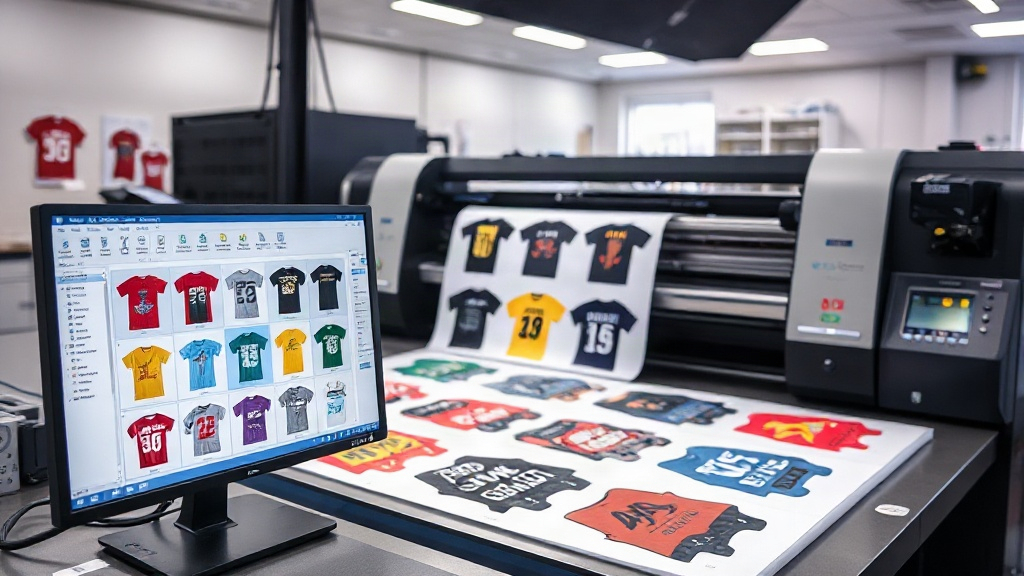
If you're in the custom apparel business, you know that DTF printing has revolutionized the way we produce vibrant, durable transfers. But as your order volume grows, manually arranging designs on a sheet becomes a bottleneck. That's where a DTF gangsheet builder comes in. This tool lets you automatically nest multiple designs onto a single film, slashing prep time and material waste. In this article, we'll explore how a gangsheet builder works, why it's essential for scaling your shop, and how to choose the right one.
What Is a DTF Gangsheet Builder?
A DTF gangsheet builder is a software tool that helps you arrange multiple DTF transfer designs onto a single sheet of film, known as a gangsheet. Instead of printing each design individually, you combine them into one large sheet, which is then printed, powdered, and cured in one go. This approach maximizes the use of your printer's bed and film roll, reducing waste and increasing throughput.
Think of it as a digital puzzle solver: you upload your designs, set the dimensions, and the builder automatically nests them to minimize empty space. Some advanced builders even use AI to rotate and align designs for optimal density.
Why You Need a Gangsheet Builder in Your DTF Shop
Whether you're a one-person operation or a growing production house, a DTF gangsheet builder addresses several pain points:
- Time savings: Manually arranging designs in a graphics program can take 15-30 minutes per sheet. A builder cuts that to under a minute.
- Cost reduction: Film and ink are expensive. By nesting tightly, you use less material per transfer, directly improving your profit margin.
- Consistency: Automated placement ensures uniform spacing, reducing the risk of overlapping or cut-off designs.
- Scalability: As order volume increases, you can produce more sheets in less time without hiring additional staff.
In short, it's a force multiplier for your production capacity.
How to Choose the Right Gangsheet Builder
Not all gangsheet builders are created equal. Here's what to look for:
1. Ease of Use
The interface should be intuitive, allowing you to drag and drop designs, set quantities, and adjust sizes quickly. If it takes longer to learn than your printing process, it's not worth it.
2. Nesting Efficiency
Look for a builder that uses advanced algorithms to minimize gaps. Some tools let you specify spacing between designs (e.g., 1-2 mm) to ensure clean cutting.
3. Compatibility
Ensure the builder supports your printer's maximum width (e.g., 13", 17", 24") and exports in a format your RIP software can handle (typically PDF or PNG).
4. Batch Processing
If you frequently print the same designs, a builder that saves templates or allows batch uploads will save you hours.
5. Cost and Licensing
Some builders are free, while others charge a monthly fee. Evaluate based on your volume: a paid tool that saves 10 hours a month is often worth it.
Step-by-Step: Using a Gangsheet Builder for Maximum Efficiency
Let's walk through a typical workflow with a DTF gangsheet builder:
- Prepare your designs: Ensure all files are high-resolution (300 DPI) and have transparent backgrounds.
- Upload to the builder: Drag and drop your files or import from a folder. The builder will display them as thumbnails.
- Set sheet size: Enter the width of your film roll (e.g., 13 inches) and desired length (e.g., 36 inches). The builder will create a canvas.
- Arrange and nest: Most builders auto-nest, but you can manually adjust. Use the 'auto-fill' feature to pack designs tightly.
- Add cut lines: Some builders automatically add cut lines around each design. If not, you can add them manually in your RIP software.
- Export and print: Save the gangsheet as a PDF or PNG and send it to your DTF printer.
Pro tip: Always print a test sheet with new designs to check color vibrancy and cut accuracy before running a full batch.
Common Mistakes to Avoid
Even with a builder, these pitfalls can cost you:
- Overcrowding: Leaving too little space between designs can cause ink bleeding or difficulty cutting. Stick to at least 1-2 mm gaps.
- Ignoring grain direction: DTF film has a grain; placing designs perpendicular to it can affect adhesion. Always align designs with the film's grain.
- Forgetting about shrinkage: Some films shrink during curing. If you're printing on a large sheet, account for slight shrinkage by adding a small margin.
- Not updating software: Builders often release updates with improved nesting algorithms. Keep yours current.
Maximizing ROI with Gangsheet Builders
Let's do a quick cost analysis. Suppose you print 100 transfers per day, each 3x3 inches. Without a builder, you might fit 20 per sheet, using 5 sheets. With a builder, you might fit 30 per sheet, using only 3.33 sheets. That's a 33% reduction in film and ink costs. Over a month, that's thousands of dollars saved. Plus, the time saved allows you to take on more orders.
Investing in a good DTF gangsheet builder isn't just about convenience; it's a strategic move for your bottom line.
Frequently Asked Questions
Can I use a gangsheet builder with any DTF printer?
Most gangsheet builders are software-based and export standard file formats, so they work with any DTF printer that accepts PDF or PNG files. However, check that the builder supports your printer's maximum width.
Is a gangsheet builder worth it for a small shop?
Absolutely. Even if you print only a few sheets a week, the time and material savings add up. Many builders offer free trials, so you can test before committing.
How do I ensure my gangsheet designs don't overlap?
Use the builder's spacing feature to set a minimum gap (e.g., 2 mm). Also, preview the sheet before printing to catch any overlaps.
What file formats work best with gangsheet builders?
PNG with transparent backgrounds is ideal, as it preserves design edges. Some builders also accept PDF, but ensure all fonts are embedded.
Can I manually arrange designs if I don't like the auto-nesting?
Yes, most builders allow manual adjustments. You can drag designs, rotate them, and lock them in place.
Final Thoughts
A DTF gangsheet builder is more than a tool; it's a competitive advantage. By automating the tedious task of design arrangement, you free up time to focus on marketing, customer service, and growth. Whether you're just starting out or scaling up, incorporating a gangsheet builder into your workflow will pay dividends. Explore options, test a few, and watch your production efficiency soar.