
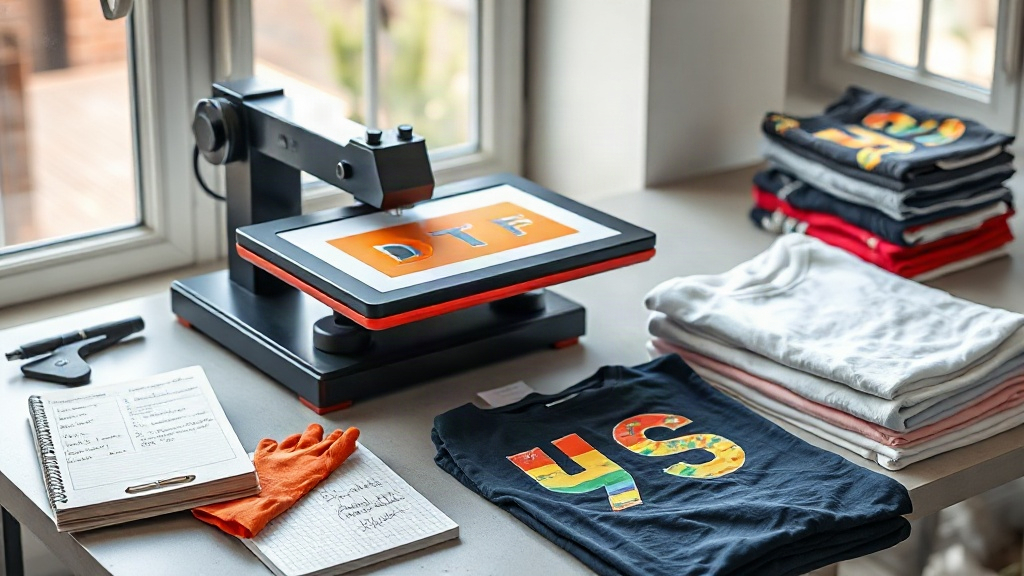
When you're decorating apparel, the blank you choose and the transfer you apply can make or break the final product. If you've been searching for reliable blanks that hold up to DTF transfers, you've likely encountered two names: Shaka Wear and Smart Blanks. Both are popular for good reason, but they behave differently under a heat press. This guide walks you through everything you need to know to get consistent, professional results with these blanks and DTF transfers, from fabric composition to pressing parameters and real-world troubleshooting.
Why DTF Transfers Work So Well on These Blanks
DTF (direct-to-film) transfers have exploded in popularity because they adhere to a wide range of fabrics, including cotton, polyester, and blends. That versatility pairs perfectly with Shaka Wear and Smart Blanks, which offer a mix of cotton and poly-cotton options. Unlike vinyl or screen printing, DTF doesn't require a specific fabric content to bond well; it relies on a thermoplastic adhesive that melts into the fibers. This means you can use the same transfer on a 100% cotton Shaka Wear tee and a 50/50 Smart Blanks hoodie with only minor adjustments to your press settings.
Fabric Composition Matters
Shaka Wear is known for its heavyweight cotton tees, often 100% cotton or a cotton-poly blend. The dense knit provides a smooth surface that DTF transfers love. Smart Blanks, on the other hand, frequently uses combed ring-spun cotton and poly-cotton blends, which can be slightly softer and may have a bit more stretch. The key difference: 100% cotton requires slightly more pressure and a bit longer press time to ensure the adhesive penetrates the fibers, while blends with polyester may need a lower temperature to avoid dye migration.
Step-by-Step Application on Shaka Wear and Smart Blanks
Before you press your first transfer, gather your tools: a heat press, heat-resistant tape, a Teflon sheet or parchment paper, and a lint roller. Preheat your press to the temperature recommended by your DTF supplier, typically 300-325°F (150-160°C).
- Prepress the garment: This removes moisture and wrinkles. For Shaka Wear heavyweight tees, press for 5-7 seconds; for Smart Blanks, 3-5 seconds is usually enough.
- Position the transfer: Place the DTF transfer with the printed side up. Use heat tape to secure it if needed.
- Press: Apply medium-heavy pressure for 10-15 seconds. For 100% cotton Shaka Wear, lean toward 15 seconds; for poly blends, 10-12 seconds at a slightly lower temperature (280-300°F) to prevent scorching or dye migration.
- Peel: Let the transfer cool completely before peeling the film. This is crucial for DTF; peeling hot can distort the print.
- Post-press (optional): For extra durability, cover with parchment and press again for 5 seconds. This helps the adhesive fully cure.
Always test on a scrap garment first, especially with Smart Blanks that have a higher polyester content. Polyester can release dye when heated, which may tint your transfer. Using a lower temperature and a longer press time can mitigate this.
Common Issues and How to Fix Them
Even with experience, you might run into problems. Here are the most common issues when applying DTF transfers to Shaka Wear and Smart Blanks, and how to solve them.
Transfer Peeling or Lifting
If the transfer peels off after washing, it's usually due to insufficient pressure or time. Increase pressure and add 2-3 seconds to your press time. Also, ensure the garment is completely flat and free of wrinkles. For heavyweight Shaka Wear, you might need to adjust the pressure to high.
Cracking or Fading
Cracking often occurs when the transfer is stretched during peeling or if the garment is over-stretched. Always cool-peel, and avoid stretching the fabric when positioning. Fading after washing can be caused by incorrect washing; advise customers to wash inside out in cold water and avoid bleach.
Dye Migration on Poly Blends
This is a bigger concern with Smart Blanks that contain polyester. Dye migration happens when the dye in the fabric sublimates into the transfer adhesive, causing a discolored print. To prevent this, use a lower temperature (around 280°F) and pre-press the garment for a few seconds to release any excess dye. Some printers use a poly spray, but with DTF, adjusting temperature is usually enough.
Choosing Between Shaka Wear and Smart Blanks for DTF
Both brands offer excellent canvases for DTF transfers, but your choice depends on the project. Shaka Wear is ideal for streetwear and heavyweight tees where a structured, durable feel is desired. Their 100% cotton options produce vibrant, soft prints that hold up well. Smart Blanks shines in retail-quality basics, often with a softer hand and more modern fits. Their blends are great for performance wear or when you need a lighter garment. If you're printing on both, keep a log of your press settings for each style; it saves time and reduces waste.
Frequently Asked Questions
Can I use DTF transfers on 100% polyester Shaka Wear shirts?
Yes, but you'll need to adjust your temperature to around 280°F and use light pressure to avoid dye migration. Always test first.
How do I wash a shirt with a DTF transfer?
Turn the garment inside out and wash in cold water with mild detergent. Avoid bleach and fabric softener. Tumble dry low or hang dry.
Do I need special equipment for DTF on Smart Blanks?
No, a standard heat press works. Just ensure you can control temperature and pressure accurately.
What's the difference between DTF and DTG on these blanks?
DTF transfers can be applied to both cotton and poly blends, while DTG typically requires 100% cotton for best results. DTF also allows for more vibrant colors on dark garments.
How long do DTF transfers last on Shaka Wear?
With proper application and care, DTF prints can last 50+ washes. Following the wash instructions is key to longevity.
By mastering the nuances of DTF transfers on Shaka Wear and Smart Blanks, you can deliver prints that impress customers and stand the test of time. Remember to test, log your settings, and adjust as needed. Happy pressing!